When you think of the Elgato Stream Deck +, you probably think of OBS shortcuts, audio mixing, or smart-home toggles. As terminal developers, we saw a much cooler possibility: turn it into the ultimate command center for the shell.
This post walks through how we built and polished deck-mcp, a Rust daemon that talks to the Stream Deck + over raw USB HID, maps its buttons and knobs to live workspaces inside Hyperia, and handles host-level window management on Windows — with high-res icon overrides, multi-window badges, and focus cycling.
Why Hyperia matters here
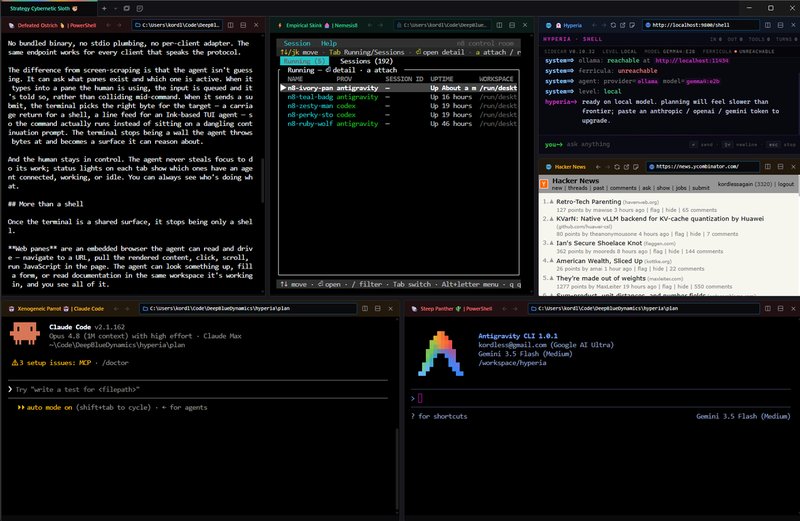
Hyperia is the terminal we’ve been building — a fork of Hyper, rebuilt so an agent can sit at the same surface as the human. Every Hyperia process runs a Rust sidecar that exposes the terminal as an MCP server on localhost:9800: tabs, splits, screen reads, focus changes, keystroke injection — all first-class tool calls. Any MCP-capable client can drive the terminal as a peer.
That MCP server is the wire we needed. If the agent can already drive Hyperia panes through it, so can anything else that speaks the protocol — including a Rust daemon hanging off an eight-button hardware controller bolted to your desk. The Stream Deck stops being a macro toy and becomes a physical control surface for the same terminal an agent is also reasoning about.
The architecture: hardware meets MCP
The setup is three parts running in concert:
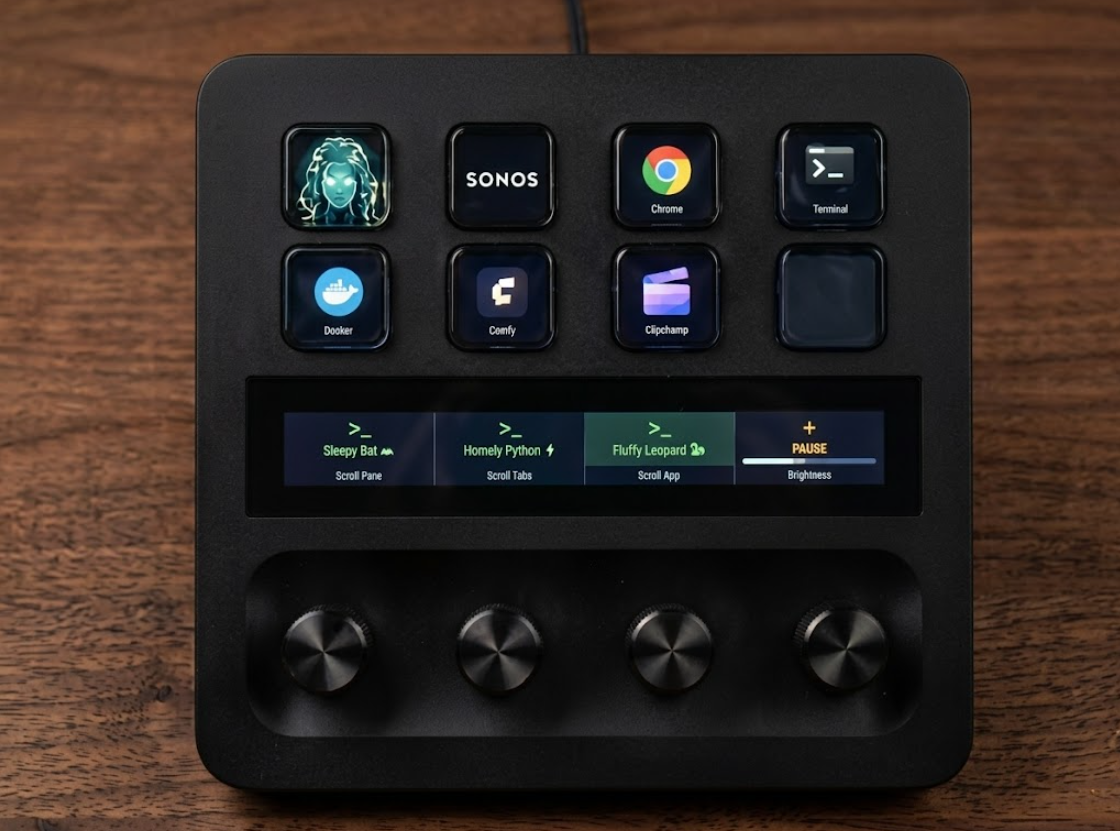
- The Stream Deck +. Eight hardware keys, four infinite rotary encoders, and a continuous 800×100 capacitive LCD touch strip.
- The Rust daemon (
deck-mcp). A background process that polls the Stream Deck over raw USB HID and hosts a local WebSocket/HTTP server. Windows only for now; macOS and Linux are on the list once the Win32-specific window-management code is abstracted out. Source lives in the Hyperia repo on github, undertools/mcp-deck. - The Hyperia MCP server. Already running on the host at
localhost:9800, exposing terminal and pane state.
┌──────────────────┐               ┌──────────────┐               ┌─────────────┐
│                  │  USB (HID)    │  Rust Daemon │  MCP (HTTP)   │   Hyperia   │
│  Stream Deck +   ├──────────────►│  (deck-mcp)  ├──────────────►│  Terminal   │
│                  │               │              │               │   Emulator  │
└──────────────────┘               └──────────────┘               └─────────────┘
Hacking the LCD touch strip
The coolest part of the Plus is the touch screen — a continuous 800×100 canvas above the four knobs. The hardware doesn’t take a framebuffer; you slice the image and ship it across as chunked USB packets of JPEG data.
Using the image and rusttype crates, the daemon composes a live snapshot of the active terminal tabs and split-panes, then splits it into four quadrants — one per encoder underneath:
- Visual styling. Terminal shells render with a green
>_glyph, web panes with a blue globe. - Scroll indicators. If the tab or pane list overflows the strip, arrows render at the edges (
<and>) so you know where to twist. - Knob control. Dial 0 scrolls the active pane view. Dial 1 shifts between tabs. Dial 2 scrolls the running-apps list. Dial 3 adjusts key brightness.
The protocol: a custom MCP client over HTTP + SSE
Because the daemon is Rust and we wanted it tiny, we implemented MCP against Hyperia ourselves rather than pulling in a full client. (Elgato’s own desktop app ships an MCP server too — if you’d rather skip writing a daemon at all.) Standard MCP clients hold long-running connections; this one is stateless and fires lightweight calls:
- Handshake. A quick stateless
POSTwithmethod: initialize— we extract themcp-session-idfrom the response headers Hyperia returns. - Notification. Send
notifications/initializedwith the session ID. - Execution. Call the tool (e.g.
terminal_status,terminal_focus). - SSE streaming. When the response is a stream, we walk the
text/event-streamchunks and pull the firstdata:packet.
That’s enough to drive every tool Hyperia exposes — tabs, splits, screen reads, focus — from a USB device sitting on the desk.
The ultimate command center
With the daemon compiled and running, the Stream Deck + becomes a fully responsive physical dashboard for the terminal. Zero perceptible latency:
The knobs scroll a shell’s scrollback or step between tabs.
An app button brings that tool to the foreground; presses past the first cycle through every open window.
Rust’s performance keeps the input pipeline crisp, and keeping all state operations strictly local — daemon ↔ MCP ↔ terminal, no cloud round-trips — means nothing ever lags behind your hand.
The interesting bit isn’t that we made a Stream Deck do new tricks. It’s that once the terminal exposes itself over a real protocol, every input device becomes a peer — an agent, a keyboard shortcut, an eight-button slab of plastic — and they all drive the same surface, with the same affordances, at the same time. That’s the bet behind Hyperia, and the Stream Deck just happens to be the first piece of hardware to take the seat.
Next stop: the helm
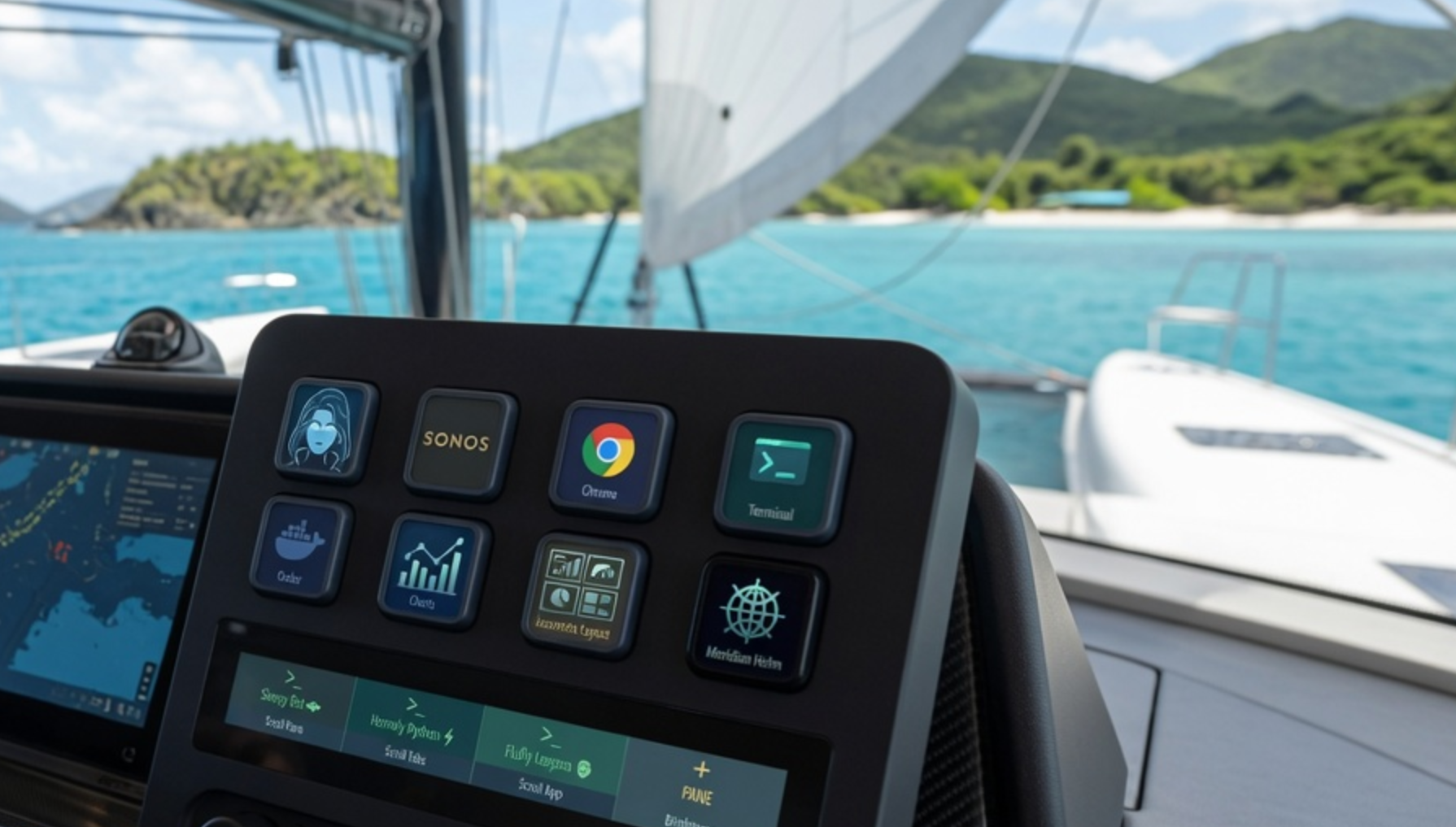
This doesn’t stop with Hyperia. Stream Deck support is coming to Meridian next — the local-first operating system we’re building for the sea. The endgame at the helm: one screen, no keyboard, a VHF handset, and a $180 Stream Deck. That’s the whole control surface for the boat. Twist a knob to scroll the route, tap a key to toggle a layer, talk to the copilot through the mic you already own. The entire bridge, on a desk you can fit between the binnacle and the chartplotter.
What hardware hacks are you building next? Let us know.
Hyperia is built by DeepBlue Dynamics. Source: github.com/DeepBlueDynamics/hyperia. deck-mcp ships from the same repo at tools/mcp-deck — bundled with the Windows Hyperia binaries today (the rest of Hyperia ships for macOS and Linux too; Stream Deck support follows once the Win32 window-management code is abstracted). Ping kord@deepbluedynamics.com if you want a peek.
// transmission ends